3D animation examples: 12 styles and how to make your own with Claude
3D animation is moving imagery built from models in a virtual space, lit and filmed by a virtual camera, rather than drawn flat frame by frame. Good examples range from Pixar films to short product ads, title cards and science explainers. Below are 12 styles of 3D animation you can watch, copy and make your own with Claude and Three.js, no Blender needed.
A 3D animation has three parts: objects with shape and material, lights that give them depth, and a camera that moves through the scene. Most of what makes an example feel expensive comes from the last two. Soft light from one side, a floor that catches reflections and a slow camera move do more than a complicated model.
The history is short. Pixar's Luxo Jr. (1986) showed that two desk lamps could carry a story, and Toy Story (1995) was the first feature film made entirely with computer animation. Since then 3D has moved from film studios into adverts, product pages, music videos and social clips, and the styles have split into clear families.
The main styles of 3D animation are: 3D titles and type, isometric scenes, low-poly landscapes, toy and clay worlds, mechanical cutaways, infinite zooms through scale, space and science visualisation, dioramas, and studio showreels. The 12 examples below cover each family, and each one is a finished scene you can open, copy and render.
Pick the style by the job. A title or brand moment suits 3D type or glass. A process or product suits a cutaway or an exploded view. A story about a place suits an isometric city or a diorama. A science idea suits an infinite zoom or a macro fly-through. Social clips favour toy, clay and satisfying loops because they read at phone size.
Most 3D tutorials start in Blender or Cinema 4D, where you model, light and keyframe by hand. With Claude you describe the scene instead: the objects, the materials, the light and the camera move. Claude writes it in Three.js, the same library behind many 3D websites, so changing a colour or a word never means re-rendering a scene file.
Every example here was made the same way. Claude (Sonnet or Opus) writes the animation as code: HTML, CSS and GSAP for 2D motion, Three.js for 3D, all on one timeline. HyperFrames then renders that code to an MP4 frame by frame, so the result is sharp at any size and identical every time you render it.
Three things make AI-made 3D look real rather than plastic: a real light setup (a key light, a soft fill and a rim), a floor or backdrop that receives shadows, and a camera that eases in and out of every move. Ask Claude for those by name. The examples below already have them, which is why copying one is quicker than starting from a blank prompt.
Each scene gives you two ways in. Copy code hands Claude the finished film, so it only edits what you ask for and uses almost no usage. Copy prompt has Claude rebuild the scene from the prompt that made it, which uses more usage and can come out differently. Copy code is the better start when you like the preview as it is.
Common changes are easy to ask for: swap the word on a 3D title, recolour the materials to your brand, change the camera path, slow the whole film down, or render it in 9:16 for Reels and TikTok instead of 16:9. Give the change in plain English and Claude edits the code that controls it.
Is 3D animation hard to make? By hand, yes: modelling, rigging and lighting take months to learn. Starting from a finished scene and editing it in plain English takes minutes. Can Claude make 3D animation on its own? Yes, with Three.js it builds real geometry, materials and camera moves, and HyperFrames records them to video.
The examples
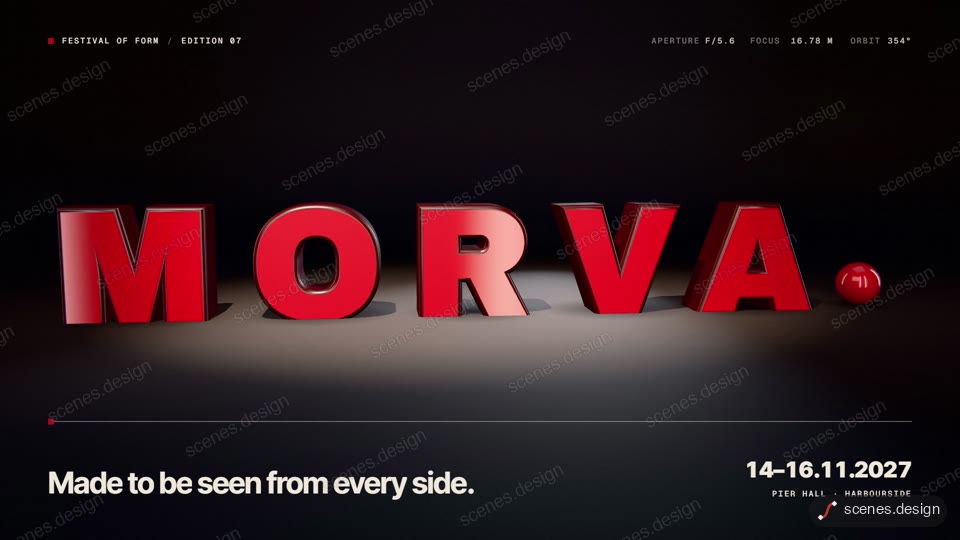
- 3D title reveal: glossy extruded letters orbit into one word in a dark studio, then the key light snaps on. The classic film-title take on 3D.
- 3D glass icon: thick frosted glass layers stack into an app icon while the camera walks round the exploded column.
- Isometric city: a diorama city builds in five stages, day turns to night and the brand name lands.
- Low-poly landscape: the camera glides over flat-shaded hills at golden hour and the title rises behind the ridge.
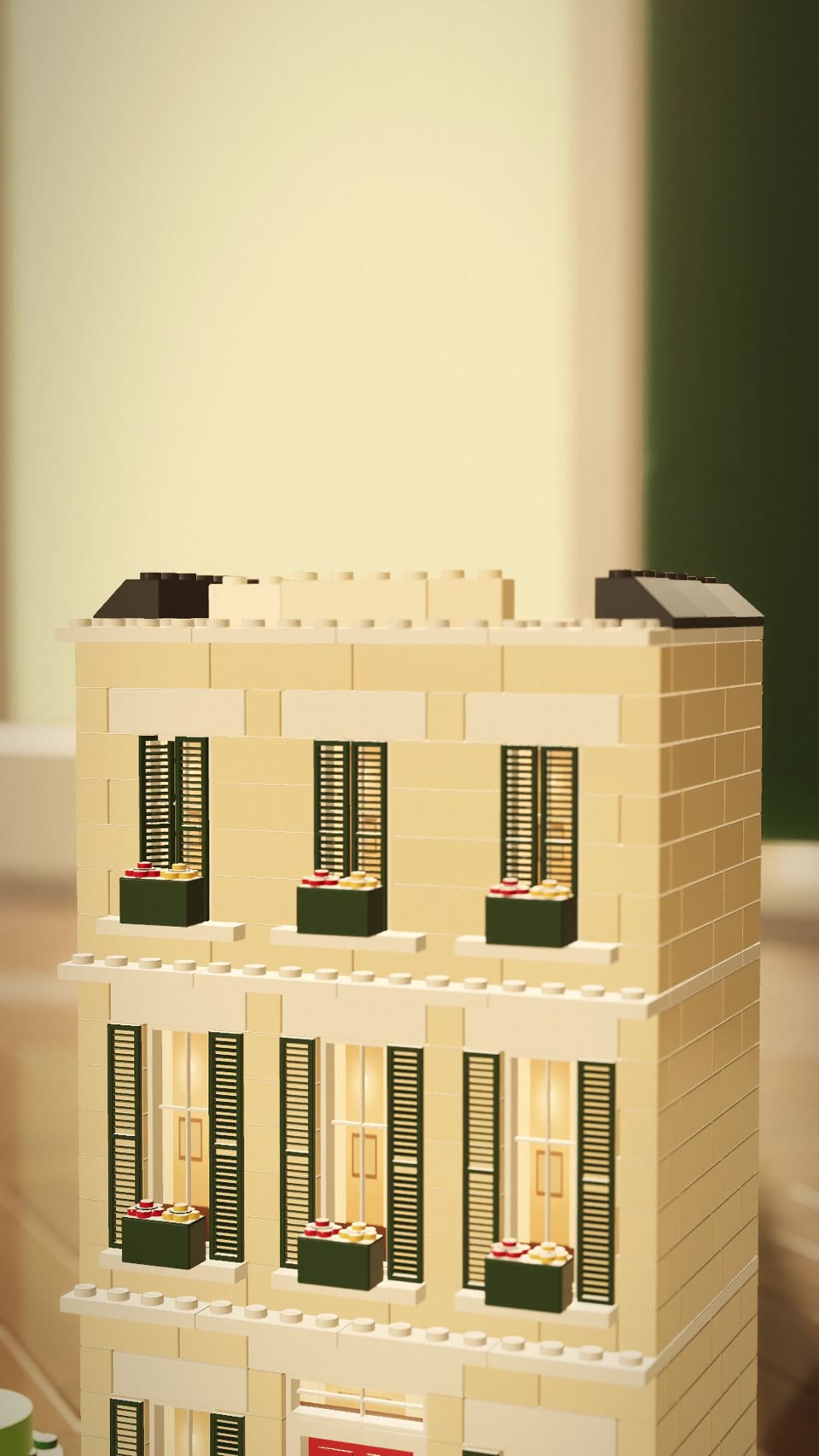
- Toy brick build: a single red brick somersaults onto a baseplate and a whole townhouse snaps together around it.
- Clay satisfying loop: six pastel clay machines each run a tiny loop and push into the next, ending where it began.
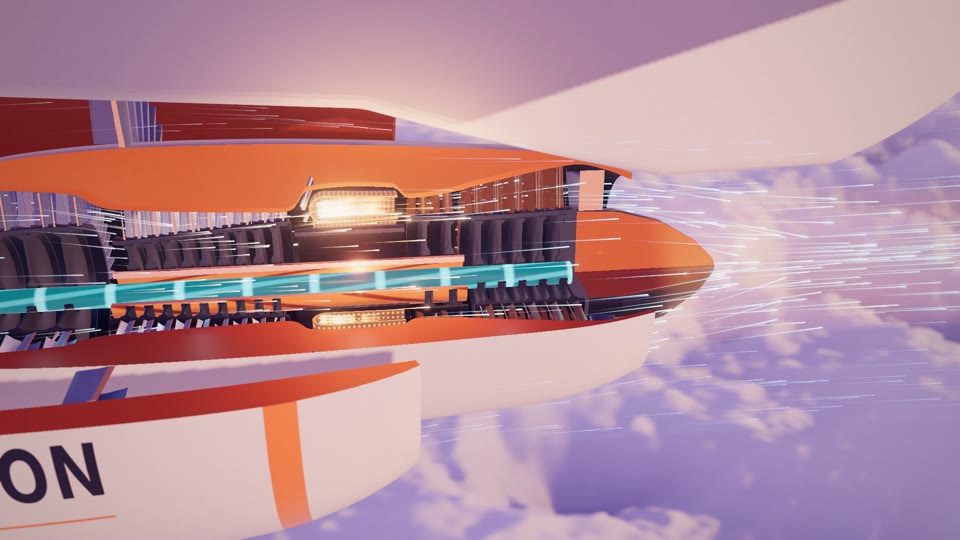
- Mechanical cutaway: a jet engine opens up and follows one breath of air through every stage, then loops.
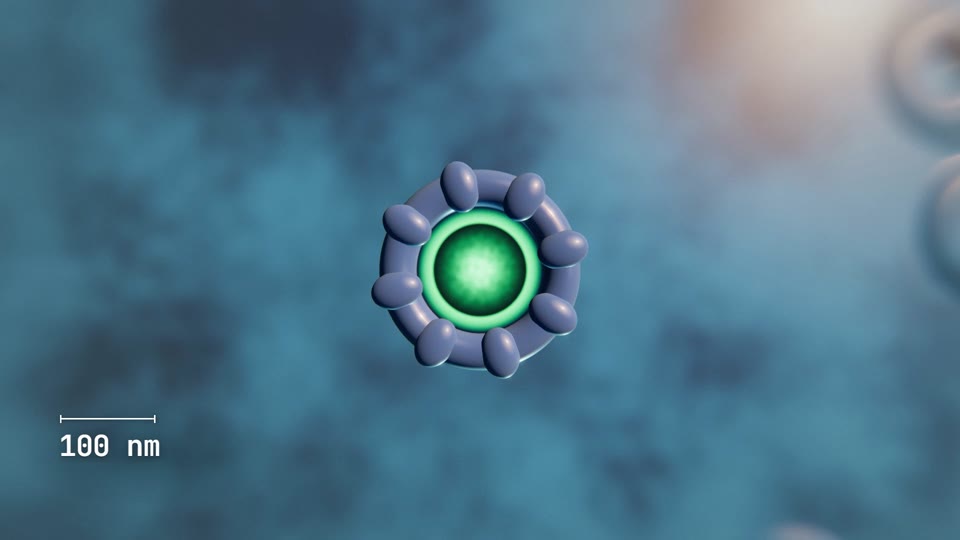
- Infinite zoom: from a picnic into a cherry, through a cell and down to a turning DNA helix, with a scale bar ticking down.
- Space visualisation: a wormhole bends the light of a ringed planet and galaxy, then the camera falls through.
- 3D diorama: a toy corner café on a slab of street, with a queue, a cyclist and shadows swinging like a sundial.
- Scientific animation: a two-footed motor protein walks along a rail inside a misty cell, towing its cargo.
- 3D showreel: a neon chevron becomes a cursor, a logo and a set of whip-cut hero shots for a design studio.
Scenes to start from
- 3D title reveal (widescreen 16:9)
- Toy-brick townhouse builds itself (vertical 9:16)
- Picnic to DNA infinite zoom (widescreen 16:9)
- Turbofan engine cutaway teardown (widescreen 16:9)
Step by step
Pick an example and open the scene
Open any example above in the Scenes Library. Watch it through and pick the one whose look and pacing are closest to what you need. Browsing and previewing every scene is free.
Choose Copy code or Copy prompt
Copy code gives you the exact film in the preview and uses almost no Claude usage, because Claude only edits what is already built. Copy prompt has Claude build the scene again from the prompt that made it; it uses more usage and the result can differ. In Claude Code you can also pull the code straight into a folder with the Scenes skill (see Docs).
node ~/.claude/skills/scenes-library/pull.mjs toy-brick-townhouse-builds-itself my-3dChange the objects, colours and camera
Paste into Claude Code (or claude.ai to watch a live preview) and describe the changes in plain English, for example: "same toy-brick build, but the house becomes a bakery with a striped awning, our logo on the box, colours #E63946 and #F1FAEE, 10 seconds, 9:16". Claude keeps the timing, camera and effects and swaps in your content.
Check it and render the MP4
HyperFrames renders the MP4 on your own computer, as often as you like, with no watermark. You need Node.js installed. Run the check first: it reports anything off-frame or broken.
npx hyperframes check my-3d
npx hyperframes render my-3d
Questions
What are some good 3D animation examples?
Classic film examples are Pixar's Luxo Jr. and Toy Story. For short-form work, the 12 styles above cover 3D titles, glass icons, isometric cities, low-poly landscapes, toy and clay worlds, cutaways, infinite zooms, space scenes, dioramas and showreels.
What are the main types of 3D animation?
By look: realistic (studio product shots, cutaways), stylised (toy, clay, low-poly, isometric) and abstract (glass, particles, gradients). By job: titles and logos, product ads, explainers and science visualisation, and showreels.
Can Claude make 3D animation?
Yes. Claude writes 3D scenes in Three.js with real geometry, materials, lights and camera moves, and HyperFrames renders them to an MP4 frame by frame.
Do I need After Effects or Blender to make 3D animation?
No. Claude writes the animation as code (HTML, CSS and GSAP, or Three.js for 3D) and HyperFrames records it to an MP4 on your own computer. All you need is Claude and Node.js.
What is the difference between Copy code and Copy prompt?
Copy code gives you the exact film in the preview and uses almost no Claude usage. Copy prompt asks Claude to build the scene again from the prompt that made it, which uses more usage and can give a different result.
Can I make a vertical 3D video for Reels or TikTok?
Yes. Ask Claude for 1080 x 1920 and it reframes the camera for a tall shot. Several examples above are already vertical.