How to start a faceless finance YouTube channel with AI visuals (free)
A faceless finance channel is a researched script, a voiceover and animated charts in place of a face on camera. Pick a narrow angle, write original analysis, and build the charts from finished Scenes motion graphics that Claude Code edits to your numbers and colours, then render the MP4 free on your own computer.
Finance suits faceless video because the story is already in the numbers: a share price over ten years, how a budget splits, how fast a debt grows. The hard part for most new channels is not the script but the visuals. Stock footage of people pointing at laptops says nothing, and building charts by hand in an editor takes hours per video.
Pick an angle narrow enough to own. Some faceless finance channel ideas that rely on charts more than a presenter: company breakdowns that walk through one business's results, personal finance explainers on budgeting or compound interest, market history stories about a past crash or bubble, and country or currency comparisons. Choose one, plus a visual look you can keep for every video, so viewers recognise the show.
The script is where the value is. Use public sources such as company filings and official statistics, say where each number comes from, and give your own reading of what it means. Keep it educational: explain how something works rather than telling viewers what to buy. A finance channel is not financial advice, and saying so plainly in the video and description is good practice.
For the voiceover, your own voice works fine with a decent USB microphone. AI voice tools such as ElevenLabs are an option if you prefer; check that the plan you use allows monetised use. Split the recorded script into beats of one idea each, because each beat becomes one visual.
This is where an AI finance YouTube channel gets its look. Scenes is a library of 234 finished motion-graphics scenes made with Claude, written as HyperFrames HTML that renders to MP4. Press Copy code on a chart scene, or ask Claude Code to copy it through the Scenes skill or the MCP connector, then tell Claude in plain English to change the labels, figures and colours. You get the exact film you previewed with your numbers in it, and the render runs free on your machine with no watermark. The same workflow is covered for general topics in the guide How to start a faceless YouTube explainer channel with Claude.
Assemble the clips with your voiceover in any editor, such as DaVinci Resolve, CapCut or Premiere Pro, and add captions. A steady cadence you can sustain, for example one researched long video a week plus a vertical Short cut from one chart, beats a burst of uploads you cannot keep up.
On monetisation, be realistic. Finance is often described as a well-paying niche for ads, but earnings vary widely and nothing is guaranteed. YouTube's policy on reused and inauthentic content excludes mass-produced, repetitive or template-like videos from the Partner Program, so AI visuals alone will not carry a channel. Original scripts, real analysis and a consistent point of view are what make it eligible and worth watching.
The examples
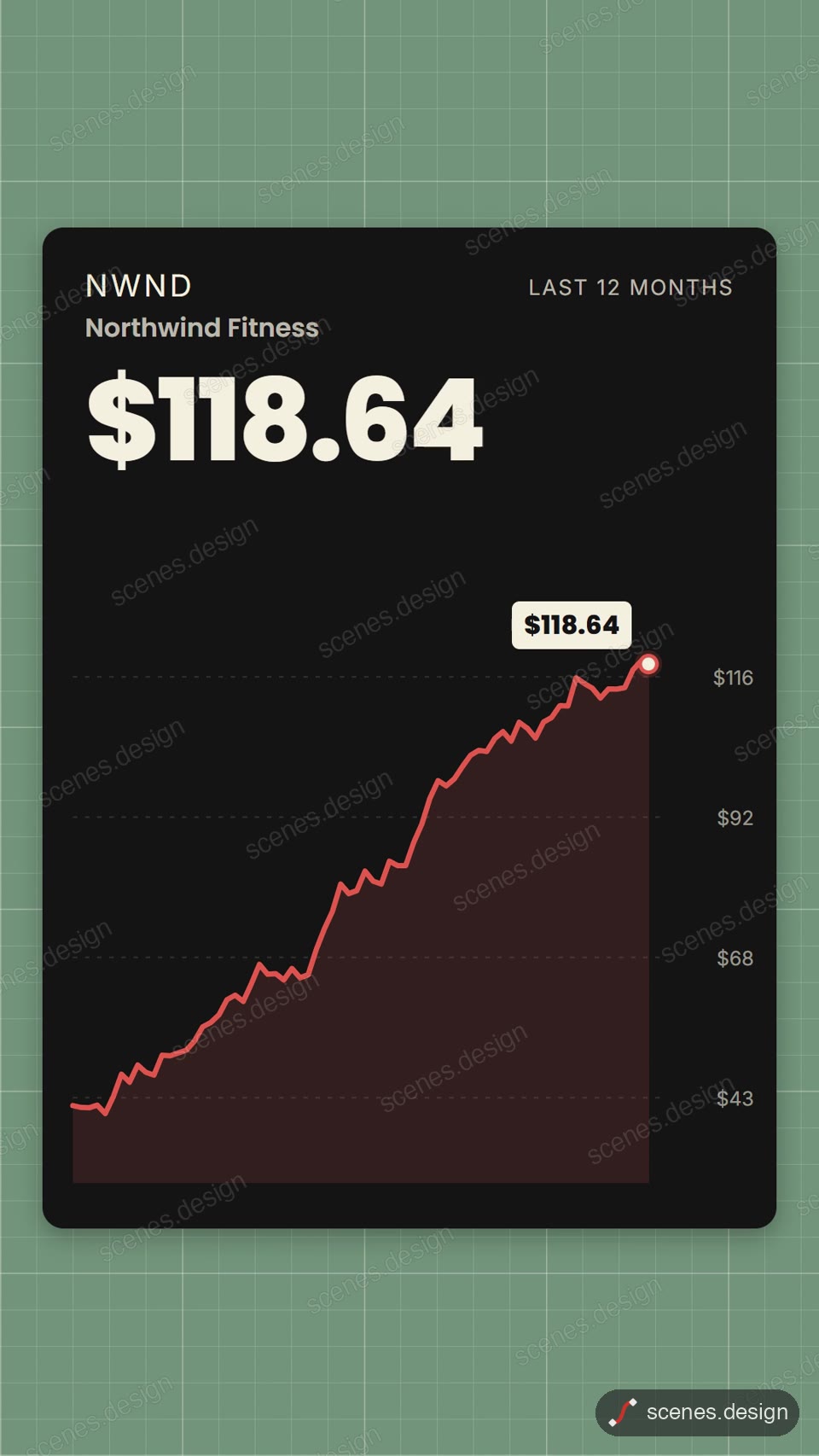
- Stock price chart: a price line draws across time, ideal for a company or index breakdown.
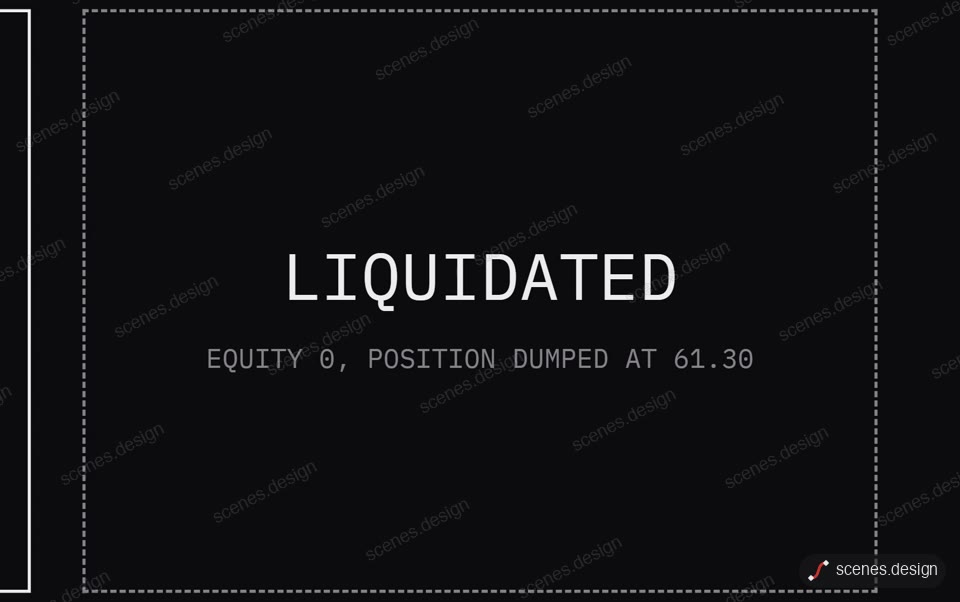
- Market crash data story: a sharp drop told as a short data story, for market history episodes.
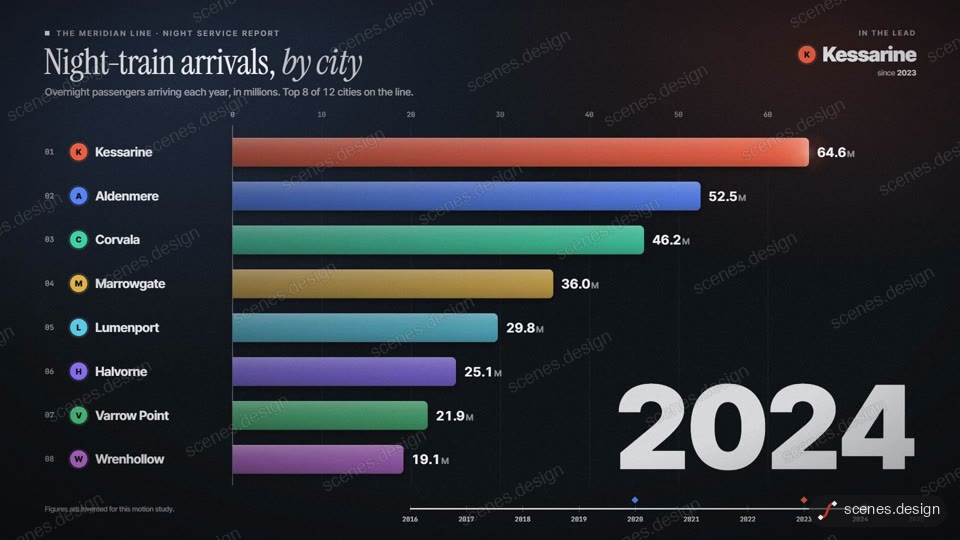
- Bar chart race: companies, countries or currencies overtake each other year by year.
- Odometer milestone counter: a number rolls up to a milestone, for totals like market value or debt.
- Quarterly results update: revenue and profit figures for a company results episode.
- Donut chart: how a budget, portfolio or expense splits into parts.
- Percentage counter ring: a single rate such as a savings rate or interest rate, counted up.
- Money jars app promo: a card splits into jars, a clear visual for budgeting explainers.
Scenes to start from
- Stock price chart (vertical 9:16)
- Market crash data story (widescreen 16:9)
- Bar chart race (widescreen 16:9)
- Odometer milestone counter (vertical 9:16)

Step by step
Pick a narrow finance angle and a look
Choose one angle you can research well, such as company breakdowns or personal finance explainers, and one visual style to keep across every video.
Write an original script from real sources
Research from filings and official data, cite your sources, and add your own analysis. Keep it educational, not advice. Split the script into beats of one idea each.
Record the voiceover
Record in your own voice or use an AI voice whose licence allows monetised use. Put the audio file in your project folder.
Copy code on a chart scene and edit it in plain English
Press Copy code on a scene such as Stock price chart, or ask Claude Code to copy it through the Scenes skill or the MCP connector. Then ask Claude to swap in your figures, labels and channel colours. Copy prompt also works, but Claude rebuilds the scene from scratch, so the result comes out close rather than identical; it is best on Opus.
claude mcp add --transport http scenes https://scenes.design/mcpRender free and assemble the video
Render each scene to MP4 on your own computer with Node.js installed, then line the clips up with your voiceover in your editor, add captions and upload.
npx hyperframes render my-scene
Questions
Is a faceless finance YouTube channel allowed to monetise?
Yes, AI tools are allowed, but YouTube's reused and inauthentic content policy excludes mass-produced or template-like videos. Original scripts and real analysis are what count. Earnings vary and are never guaranteed.
Do I need finance qualifications?
Not to explain how things work, but you should not present your videos as personal financial advice. Cite your sources, stick to education, and say plainly that the channel is not advice.
What is the best faceless YouTube finance niche?
The one you can research well and keep making. Company breakdowns, personal finance basics and market history all lean on charts, which makes them a good fit for animated visuals.
Is it free?
Scenes and rendering are free: free accounts copy 2 scenes a day, and the MP4 renders on your own computer with no watermark. Claude Code needs a paid Claude plan. Ultimate is $10 a month or $99 a year for unlimited copies.
Can I use the videos commercially?
Yes. Commercial use is included, so you can use rendered scenes in monetised videos.
Can I make finance Shorts too?
Yes. Several chart scenes are already vertical 9:16, and you can ask Claude Code for a vertical version of any scene and render it separately.