HyperFrames vs Remotion for making videos with Claude
Both turn code into MP4 video. Remotion builds videos as React components; HyperFrames builds them as plain HTML, CSS and GSAP with a CLI that renders them. For Claude, HyperFrames is usually the shorter path: one HTML file, no React project, and the same animation libraries web designers already use.
Remotion is a mature React framework: each frame is a component rendered at a given frame number, and it has a large ecosystem. It suits teams already working in React. Check its licence before using it at a company: Remotion is free for individuals and small companies, and larger companies need a company licence.
HyperFrames (by HeyGen) treats a video as a web page driven by a paused animation timeline. Claude writes ordinary HTML, CSS and GSAP, or Three.js for 3D, and npx hyperframes render captures it frame by frame. Every scene in the Scenes Library is HyperFrames code with the prompt that made it.
Scenes to start from
- One sentence. A whole film. (widescreen 16:9)

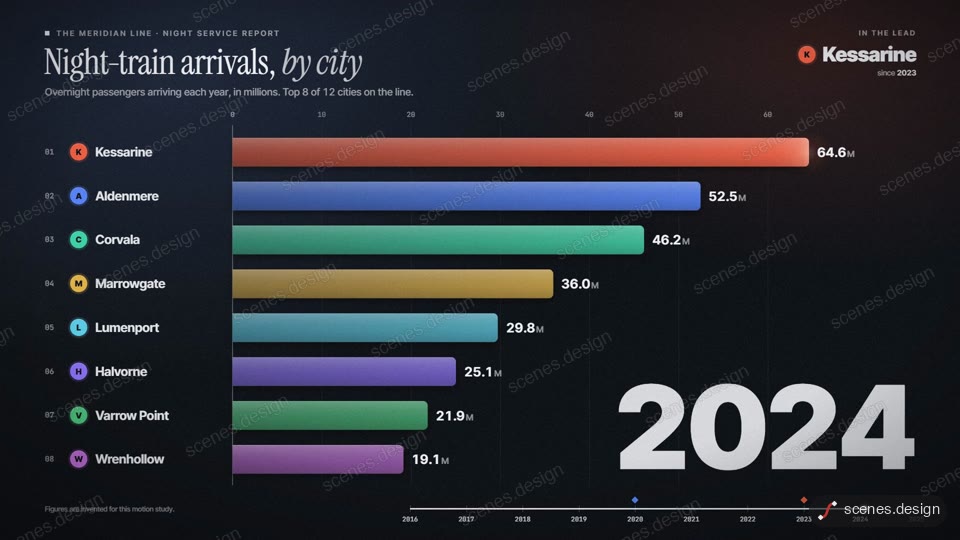
- Data bar race (widescreen 16:9)
- Origami fold reveal (vertical 9:16)

Step by step
Try a finished HyperFrames scene
Open a scene in the Scenes Library and press Copy prompt. It's the quickest way to see what HyperFrames output looks like.
Paste it into Claude or Claude Code
Paste the prompt into claude.ai or the Claude app to see the scene build as a live preview. For an MP4 you need Claude Code: paste the prompt there, or set up the Scenes skill once (see Docs) and pull the scene into a folder.
Change it in plain English
Ask Claude for your words, numbers and colours. It edits the HTML and timeline for you.
Check it and render the MP4
HyperFrames renders the MP4 on your own computer, free, as often as you like. You need Node.js installed. Check first: it reports anything off-frame or broken.
npx hyperframes check my-scene
npx hyperframes render my-scene
Questions
Is HyperFrames free?
The HyperFrames CLI is free to run with npx, and it renders on your own machine.
Can I convert a Remotion video to HyperFrames?
Yes. Give Claude the Remotion component and ask for the same animation as a HyperFrames composition with a GSAP timeline.
Which is better for 3D?
Both can host Three.js. In HyperFrames, Three.js renders each frame from the timeline's time, so 3D scenes render deterministically.
Is it free?
Browsing and previewing every scene is free, and free accounts copy 2 scenes a day. The render is free because HyperFrames makes the MP4 on your own computer, with no watermark on the video.