Task Card to Live App
Animated product teaser where a task card is dragged off a roadmap, built into an app and published live. Copy the prompt into Claude and make your own.
A task card sits on a team planning board and is dragged into next week. Then a cursor labelled You grabs it and the card opens into an app builder. A data component is dropped in, a source is wired up, and publish is pressed. The finished app swings up as a live browser window.
Swap the example keg-tracking brand for your own product name, captions, data and accent colour by asking Claude. It suits product launch teasers, feature announcements and landing page hero loops in 16:9, and it plays without sound. Render the MP4 locally.
Use it for
- Product launch teaser
- No-code builder promo
- Feature announcement video
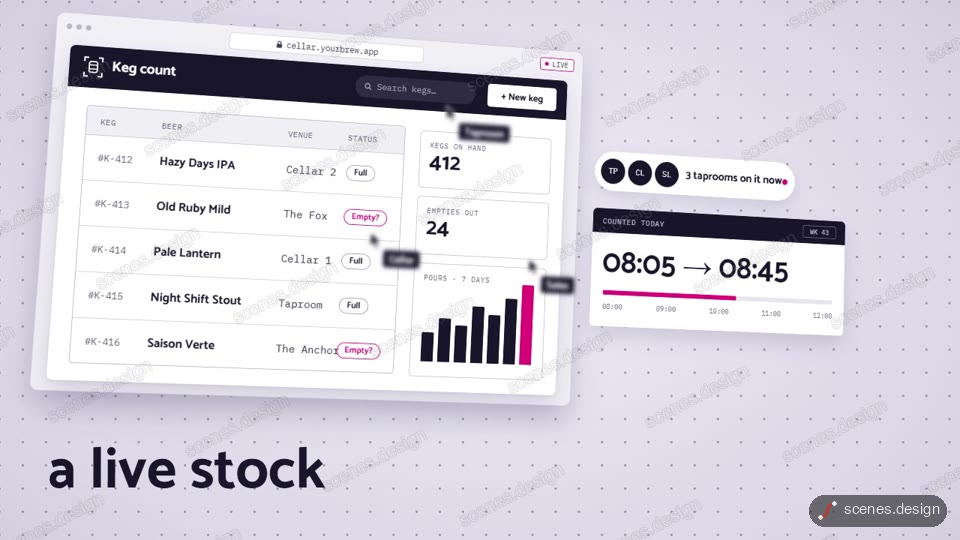
Category: App UI. Format: widescreen 16:9.
How to use this scene in Claude
Copy the scene's prompt into claude.ai or the Claude app and Claude builds it as a live preview. For an MP4, pull the scene into Claude Code and render it on your own machine with npx hyperframes render. Or add the Scenes connector (https://scenes.design/mcp) to Claude and just ask for the scene. Full steps: Docs.