Gallery of glowing screens flythrough
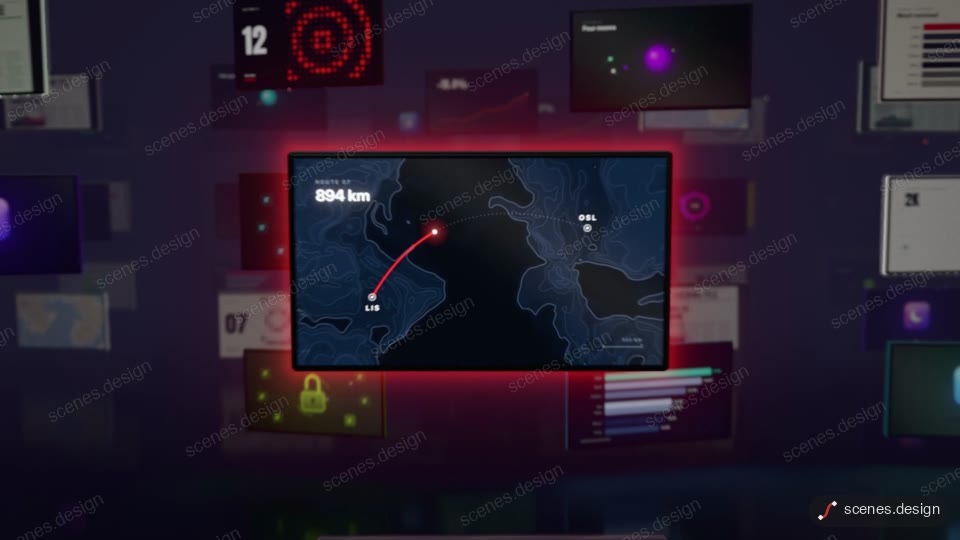
A camera glides through a dark gallery of glowing screens, then dives into one that becomes the film. Copy this 3D flythrough into Claude and make it yours.
The camera drifts low through an endless dark gallery of black-glass screens over a wet floor. Each screen plays its own small animation as you pass. A wave of light ignites the whole library as the view rises above it, then the camera dives onto one screen until its picture fills the frame. An end card types a prompt and shows the line.
You can change the two-part end line, the prompt typed on the card, the words on the kinetic-type screens, the line-chart KPI and the map route. You can also pick which screen the camera lands on, plus the accent and gallery dark. It fits 16:9 product reveals, showreels, launch videos and site headers.
Use it for
- Product showreel opener
- Library or catalogue launch video
- Landing page hero film
Category: 3D. Format: widescreen 16:9.
How to use this scene in Claude
Copy the scene's prompt into claude.ai or the Claude app and Claude builds it as a live preview. For an MP4, pull the scene into Claude Code and render it on your own machine with npx hyperframes render. Or add the Scenes connector (https://scenes.design/mcp) to Claude and just ask for the scene. Full steps: Docs.