Glass timeline shatters into chat
A 3D glass video timeline cracks and shatters, then one chat message edits the title. Copy the prompt into Claude to make your own AI editing animation.
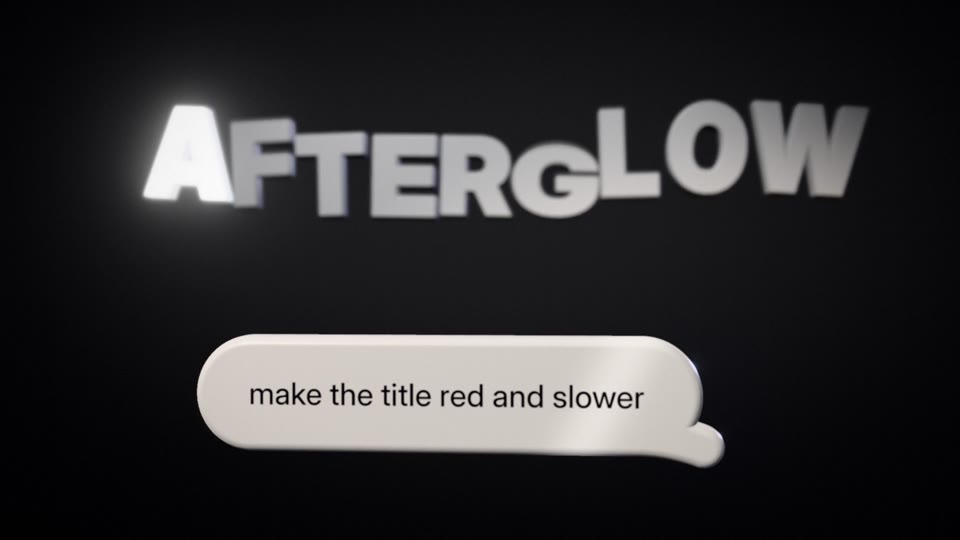
A smoked-glass editing timeline, with tracks, clips, keyframe gems and a playhead, floats in a dark studio in front of a white title hopping far too fast. The playhead jams, the glass cracks and the editor bursts away in slow motion. One calm chat bubble rises, and the title turns colour letter by letter as its hop eases into a slow wave.
You can change the title word, the chat message, the end line, the accent colour, the studio darkness and the bubble colour. The 16:9 frame, 10.5 seconds long, fits product launch videos, landing page headers and YouTube promos for editing or creative software.
Use it for
- Video tool launch teaser
- Landing page hero loop
- Chat-based editing product demo
Category: 3D. Format: widescreen 16:9.
How to use this scene in Claude
Copy the scene's prompt into claude.ai or the Claude app and Claude builds it as a live preview. For an MP4, pull the scene into Claude Code and render it on your own machine with npx hyperframes render. Or add the Scenes connector (https://scenes.design/mcp) to Claude and just ask for the scene. Full steps: Docs.